Health tracking has evolved from pedometers and paper food diaries to comprehensive ecosystems that monitor sleep, exercise, nutrition, mental health, and dozens of biometrics. Modern health apps provide insights previously available only through expensive medical equipment or personal trainers.
This guide covers the essential health and fitness apps that help you get fitter, sleep better, eat healthier, and maintain mental wellness—all from your smartphone or wearable device.
- The Quantified Self Movement
- Activity Tracking: Steps, Exercise, and Movement
- Running Specific Apps
- Gym and Strength Training
- Home Workout Apps
- Nutrition and Diet Tracking
- Sleep Tracking
- Mental Health and Meditation
- Habit Tracking
- Women’s Health
- Hydration Tracking
- Integration and Ecosystems
- Wearables: Necessary or Optional?
- Privacy Considerations
- Common Health App Mistakes
- The Minimum Viable Health App Stack
- Real-World Success Stories
- When Apps Aren’t Enough
- The Long-Term Health App Journey
- The Anti-Tracking Perspective
- Conclusion
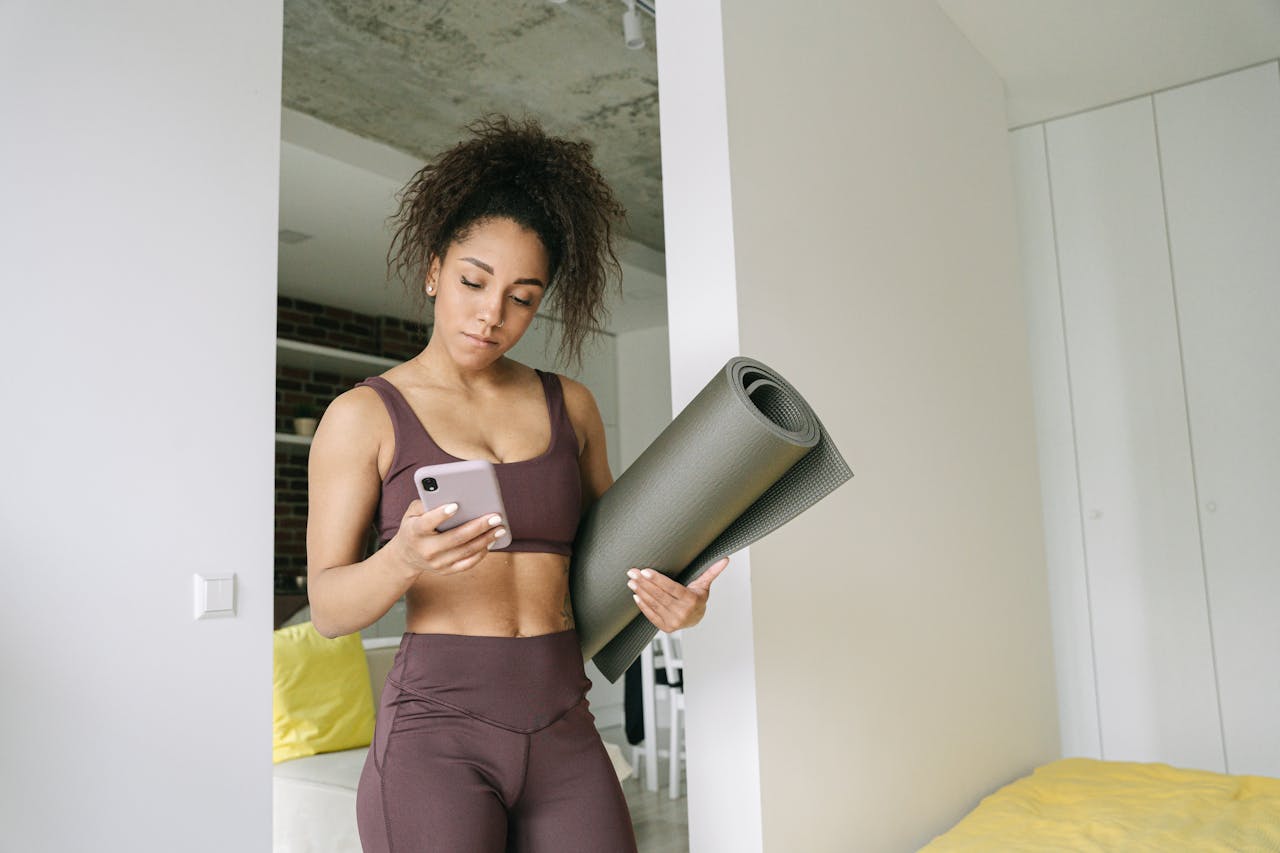
The Quantified Self Movement
The premise: You can’t improve what you don’t measure. Health apps provide data that transforms vague intentions (“I should exercise more”) into concrete actions (“I’ll walk 8,000 steps daily”).
The psychology: Tracking creates accountability. Apps that show you missed your step goal three days running create gentle pressure to course-correct. Seeing progress (you’ve logged 30 consecutive days of meditation!) provides motivation to continue.
The caveat: Over-tracking can become obsessive and counterproductive. The goal is health improvement, not maximising metrics. Track what helps; ignore the rest.
Activity Tracking: Steps, Exercise, and Movement
The Big Three: Apple Health, Google Fit, Samsung Health
If you have an iPhone, Android, or Samsung device, you already have capable health tracking built in.
Apple Health (iPhone, Apple Watch):
- Tracks steps, flights climbed, distance
- Integrates with Apple Watch for heart rate, ECG, and blood oxygen
- Aggregates data from other health apps (Strava, MyFitnessPal, Calm all feed into Health)
- Excellent privacy (data encrypted, stored locally on device)
Google Fit (Android, Wear OS):
- Heart Points system (measures intensity, not just movement)
- Move Minutes tracking
- Integrates with most Android fitness apps
- Works across Android devices seamlessly
Samsung Health (Samsung devices):
- Comprehensive tracking (steps, heart rate, sleep, stress)
- Food and water logging
- Samsung Watch integration for advanced biometrics
Who they’re for: Everyone with compatible devices. These are excellent starting points requiring zero additional investment.
Strava: The Social Fitness Network
Strava is the premier app for runners and cyclists, combining tracking with social networking.
Why runners and cyclists love it:
- Detailed route maps with elevation, pace, and splits
- Segments: Compete on specific route sections against other Strava users
- Training plans and goals
- Integration with GPS watches (Garmin, Polar, Coros)
- Heatmaps showing popular routes in your area
Free vs paid: Free tier is excellent (tracks activities, segments, social features). Summit (£7.99/month or £47.99/year) adds detailed analytics, training plans, and live performance data.
The community aspect: Strava’s social features create accountability. Knowing friends see your runs motivates consistency. Chasing segment leaderboards gamifies training.
Who it’s for: Serious runners and cyclists who want detailed tracking and community motivation.
Fitbit: The Wearable Ecosystem
Fitbit devices (trackers and smartwatches) come with the Fitbit app, creating a comprehensive health ecosystem.
What Fitbit tracks:
- Steps, distance, active minutes
- Heart rate (all-day and exercise)
- Sleep stages (light, deep, REM)
- Stress management scores
- Female health tracking
- Food and water logging
- Guided workouts
The advantage: Fitbit’s app, wearables, and ecosystem work seamlessly together. Automatic tracking means no remembering to start/stop workouts.
Cost: Devices range £50-350. Fitbit Premium (£7.99/month or £79.99/year) adds guided programs, detailed analytics, and mindfulness content.
Who it’s for: People wanting comprehensive health tracking with minimal friction. Particularly good for beginners building exercise habits.
Running Specific Apps
Couch to 5K (C25K)
C25K is the most popular beginner running program, taking non-runners to 5K in 9 weeks through structured walk/run intervals.
Why it works:
- Gradual progression (starts with mostly walking)
- Clear structure (three runs weekly, each week slightly harder)
- Audio coaching during runs
- Achievable for true beginners
- Builds habit before intensity
Apps: NHS Couch to 5K (free, excellent), Zenlabs C25K (free with ads), Active.com C25K (£2.99)
Success rate: High for people who complete the full 9 weeks. Most failures come from skipping rest days or progressing too quickly.
Who it’s for: Anyone who’s never run before or hasn’t run in years. Perfect starting point.
Nike Run Club
Nike Run Club (NRC) offers guided runs, training plans, and community features completely free.
Strengths:
- Guided runs with professional coaching audio
- Training plans for 5K to marathon
- Challenges and achievements
- Integration with Apple Watch
Weakness: Less detailed analytics than Strava, fewer customisation options.
Who it’s for: Runners wanting guided training without paying for coaching or premium apps.
Gym and Strength Training
Strong: Workout Logging
Strong is purpose-built for logging gym workouts—sets, reps, weights, rest times.
Why lifters love it:
- Simple, fast workout logging (critical during gym sessions)
- Exercise library with instructions
- Progress tracking (are you lifting more over time?)
- Routine templates (save and repeat workouts)
- Rest timer between sets
- Charts showing strength progression
Cost: Free tier excellent (logs unlimited workouts). Pro (£4.99/month or £29.99/year) adds advanced analytics and features.
Who it’s for: Anyone doing resistance training who wants to track progression scientifically.
JEFIT: Comprehensive Gym App
JEFIT offers workout logging plus exercise database, routines, and community features.
Advantages over Strong:
- Larger exercise database with videos
- Pre-built routines from the community
- Body measurements and photo tracking
Cost: Free tier functional. Elite (£6.99/month or £39.99/year) removes ads and adds features.
Who it’s for: Gym-goers wanting comprehensive features, including exercise instruction, not just logging.
Home Workout Apps
FitOn: Free Home Workouts
FitOn offers genuinely good home workout videos completely free—unusual in the home fitness space.
What’s included (free):
- Hundreds of workout videos (strength, cardio, yoga, Pilates, barre)
- Celebrity trainers
- 5-60 minute workouts
- No equipment needed (modifications for with/without equipment)
How they monetise: Premium tier (£8/month) adds personalised plans and nutrition guidance. Most people don’t need it.
Who it’s for: Anyone wanting guided home workouts without subscriptions.
Nike Training Club
Nike Training Club (NTC) is Nike’s home workout app, offering hundreds of bodyweight and equipment workouts free.
Workout types:
- Strength, endurance, yoga, mobility
- 5-60 minutes
- Equipment-free or with dumbbells/resistance bands
- Beginner to advanced
Cost: Completely free (Nike’s strategy is building brand loyalty, not charging for apps).
Who it’s for: Home exercisers wanting professionally designed workouts at no cost.
Nutrition and Diet Tracking
MyFitnessPal: The Calorie Tracking Giant
MyFitnessPal (MFP) is the dominant calorie and macro tracking app with the world’s largest food database.
What it does:
- Log food and track calories, macros (protein, carbs, fat), and micros
- Massive database (11+ million foods)
- Barcode scanner for packaged foods
- Recipe importer
- Exercise integration (adjusts calorie target based on activity)
- Weight tracking and trend analysis
Why it’s popular: The food database is unmatched. Almost everything you eat is already in the system.
Cost: Free tier functional. Premium (£9.99/month or £49.99/year) adds advanced features like meal plans and macros by meal.
Who it’s for: Anyone tracking calories for weight loss, gain, or athletic performance.
Usage pattern: Most successful users track diligently for 8-12 weeks to learn portion sizes and calorie content, then track occasionally rather than permanently.
Cronometer: The Micronutrient Focus
Cronometer tracks calories like MyFitnessPal but emphasises micronutrients (vitamins, minerals) and has more accurate data.
Advantages:
- Tracks 82 micronutrients
- Higher data quality (less user-submitted errors)
- Biometric tracking (weight, body fat, measurements)
- Fasting timer
Disadvantages:
- Smaller food database than MFP
- More complex interface
Cost: Free tier functional. Gold (£6.99/month or £34.99/year) adds additional biometrics and features.
Who it’s for: Nutrition-focused users caring about nutrient density, not just calories.
Sleep Tracking
Sleep Cycle: The Smart Alarm
Sleep Cycle uses your phone’s microphone or accelerometer to detect sleep stages and wake you during light sleep within a set window.
How it works:
- Place phone on nightstand or mattress
- Set wake-up window (e.g., 6:30-7:00 AM)
- App monitors sleep sounds/movements
- Wakes you during light sleep in that window (feels less groggy)
- Provides sleep quality metrics
Sleep insights:
- Sleep duration and quality score
- Time in different sleep stages
- Factors affecting sleep (exercise, caffeine, room temperature)
- Trends over time
Cost: Free tier includes basics. Premium (£29.99/year) adds detailed analysis, snore detection, and backup.
Accuracy: Not medical-grade but sufficient for understanding sleep patterns.
Who it’s for: Anyone wanting to wake up less groggy and understand sleep quality.
AutoSleep (Apple Watch)
AutoSleep uses Apple Watch sensors for automatic, detailed sleep tracking without manual intervention.
Advantages:
- Detailed metrics (heart rate variability, respiration rate, blood oxygen)
- Sleep banking (tracks sleep debt)
- Integration with Apple Health
Cost: £4.99 one-time purchase.
Requirement: Requires Apple Watch.
Who it’s for: Apple Watch owners wanting comprehensive sleep data without subscriptions.
Mental Health and Meditation
Headspace: Guided Meditation
Headspace is the most popular meditation app, offering structured courses teaching mindfulness fundamentals.
What’s included:
- Foundations course (10-day introduction to meditation)
- Themed courses (anxiety, stress, sleep, focus)
- Daily meditation sessions
- Sleep sounds and sleepcasts
- Mindful movement (yoga, cardio)
Why beginners love it: Accessible, non-woo explanations of meditation. Feels scientific, not mystical.
Cost: £9.99/month or £49.99/year after free trial. Expensive but many find value justifies cost.
Who it’s for: Meditation beginners wanting structured guidance.
Calm: The Sleep Focus
Calm is similar to Headspace but emphasises sleep content.
Strengths:
- Excellent sleep stories (bedtime stories for adults, narrated by celebrities)
- Extensive sound library (rain, ocean, white noise)
- Meditation courses
- Breathing exercises
- Movement classes
Cost: £12.99/month or £28.99/year.
Headspace vs Calm: Both excellent. Calm is better for sleep content; Headspace is better for structured meditation learning.
Insight Timer: The Free Alternative
Insight Timer offers 100,000+ free guided meditations, making it the best free meditation app.
What’s free:
- Massive library of guided meditations
- Timer for unguided meditation
- Community features
- Music and ambient sounds
Cost: Free tier is comprehensive. Premium (£9.99/month or £59.99/year) adds courses and offline downloads.
Who it’s for: Budget-conscious meditators or those who’ve outgrown beginner apps and want variety.
Habit Tracking
Habitica: Gamified Habits
Habitica turns habit building into an RPG game where completing habits levels up your character.
How it works:
- Create habits, dailies, and to-dos
- Complete them to earn experience and gold
- Level up your avatar, unlock equipment, and battle monsters
- Join guilds and parties with friends
Why gamification works: Makes boring habits (floss teeth, drink water) entertaining through game mechanics.
Cost: Free tier is excellent. Premium (£3.99/month or £35.99/year) adds features.
Who it’s for: People who respond to gamification and struggle with habit consistency.
Streaks (iOS): The Minimalist Approach
Streaks is a beautifully simple habit tracking for up to 12 habits, focusing on building streaks.
Philosophy: Track just your most important habits. Don’t dilute focus with 30 habits—perfect 6-12 matters more.
Features:
- Clean, minimalist interface
- Widget showing today’s habits
- Negative habits (track things to avoid)
- Health integration (exercise, sleep automatically counted)
Cost: £4.99 one-time purchase
Who it’s for: iOS users wanting simple, elegant habit tracking without subscriptions or gamification.
Women’s Health
Clue: Period and Cycle Tracking
Clue is a science-based period tracking app with no gendered pink aesthetics or pregnancy-focused assumptions.
What it tracks:
- Menstrual cycle and predictions
- PMS symptoms
- Mood and energy patterns
- Skin, hair, and digestion changes
- Sexual activity
- Pain levels
Why it’s respected: Uses science-based predictions, doesn’t sell data, and is funded by research grants, not advertising.
Cost: Free tier functional. Clue Plus (£9.99/month or £39.99/year) adds pregnancy tracking and detailed analytics.
Who it’s for: Anyone who menstruates, wanting accurate cycle tracking and symptom correlation.
Flo: The Comprehensive Alternative
Flo offers similar tracking with additional health content and community features.
Advantages:
- Extensive educational content about reproductive health
- Symptom checker and health insights
- Larger community and forums
- Pregnancy and parenting modes
Privacy concern: Has faced criticism for data handling in the past. Now claims improved privacy practices.
Cost: Free tier includes core tracking. Premium (£7.99/month or £39.99/year) adds detailed analysis.
Hydration Tracking
WaterMinder / Plant Nanny
Most people are chronically mildly dehydrated. Hydration apps send reminders and track intake.
WaterMinder (straightforward): Set target, log drinks, receive reminders. £4.99 one-time.
Plant Nanny (gamified): Drinking water waters a virtual plant. Neglect hydration, and the plant wilts. Free with ads or £2.99.
Necessity question: Do you need an app to drink water? Probably not. But if you’re someone who forgets all day, these help establish the habit.
Integration and Ecosystems
Apple Health ecosystem (iPhone/Apple Watch):
- Central hub aggregating data from all health apps
- Strava runs, MyFitnessPal calories, Calm meditation, Sleep Cycle data all flow into Health
- Provides a comprehensive dashboard
- Best-in-class privacy
Google Fit ecosystem (Android):
- Similar aggregation for Android
- Less comprehensive than Apple Health
- Better integration with Google services
Fitbit ecosystem:
- Works across platforms (iOS, Android, Windows)
- All data within Fitbit’s ecosystem
- Less flexible than Apple/Google (doesn’t aggregate as well from third-party apps)
Strategy: Choose apps that integrate with your device’s health platform. Data locked in silos is less useful than aggregated insights.
Wearables: Necessary or Optional?
The case for wearables:
- Automatic tracking (no remembering to start/stop)
- All-day heart rate monitoring
- Sleep tracking without a phone on a mattress
- Better exercise tracking (GPS, elevation, cadence)
- Notifications for inactivity
The case against:
- Cost (£50-500 depending on device)
- Another device to charge
- Can become obsessive
- Phone apps are often sufficient for casual users
Recommendation: Start with phone-only apps. If you’re consistently using fitness apps for 3+ months and want better data, then consider a wearable. Don’t buy a Fitbit hoping it will motivate you to exercise—it won’t.
Privacy Considerations
Health data is the most sensitive information you’ll share with apps.
What health apps know:
- Your location (runs a map of where you live and work)
- Your weight, health conditions, and medications
- Your sleep patterns and when you’re home
- Your menstrual cycle and sexual activity
- Your mental health (meditation apps, mood tracking)
Protection strategies:
- Use apps from established companies with clear privacy policies
- Favour apps that store data locally or encrypt cloud data
- Review app permissions regularly
- Use apps that allow data export and deletion
Best privacy: Apple Health (data encrypted, stored on-device, Apple can’t access it)
Worst privacy: Free apps with unclear business models (if the product is free, your data might be the product)
Common Health App Mistakes
Tracking too much: Trying to track steps, calories, sleep, water, meditation, mood, period, and 15 other metrics simultaneously is overwhelming. Start with 1-2 areas.
Over-reliance on metrics: Apps measure proxies for health, not health itself. 10,000 steps means nothing if you’re injured, stressed, and sleep-deprived.
Comparison spirals: Seeing friends’ Strava runs or gym sessions can be motivating or demoralising. If social features cause anxiety, turn them off.
Punishment mindset: Using apps to shame yourself (“I’m so lazy, only 4,000 steps”) destroys motivation. Use data for awareness and gentle accountability, not self-punishment.
Ignoring trends for individual days: One bad day means nothing. Look at weekly and monthly trends, not daily fluctuations.
The Minimum Viable Health App Stack
For general health awareness:
- Native health app (Apple Health, Google Fit, Samsung Health)
- MyFitnessPal (if tracking nutrition)
- Sleep Cycle or similar (if sleep is a concern)
Total cost: Free (or £30/year if you add MyFitnessPal Premium)
For serious fitness:
- Strava (running/cycling)
- Strong (strength training)
- MyFitnessPal (nutrition)
- Sleep Cycle (recovery tracking)
Total cost: Free tier functional, ~£100/year for premium tiers
For comprehensive wellness:
- Fitness tracking (Strava/Nike Run Club)
- Meditation (Headspace or Insight Timer)
- Sleep tracking (Sleep Cycle or AutoSleep)
- Nutrition (MyFitnessPal or Cronometer)
- Habit tracking (Habitica or Streaks)
Total cost: £100-250/year, depending on free vs paid choices
Real-World Success Stories
Tom, 34, London: Lost 18kg using MyFitnessPal and Strava. “Seeing the data made it real. I wasn’t ‘pretty active’—I was barely moving 4,000 steps daily. Food logging showed portion sizes were way off. Data removed the guesswork.”
Sarah, 28, Manchester: Improved sleep from 5.5 to 7+ hours using Sleep Cycle and AutoSleep. “Tracking revealed I was scrolling social media until 1 AM most nights. I set phone bedtime mode for 11 PM, and sleep quality score jumped from 60% to 85% within two weeks.”
James, 41, Bristol: Started meditating with Headspace after years of anxiety. “I’d tried meditation books and YouTube videos, but never stuck with it. Headspace’s structure and progress tracking kept me going. After 90 consecutive days, my baseline anxiety noticeably decreased.”
The Patel Family: Used family sharing in Apple Health to encourage family step competitions. “The kids now ask to walk to school instead of driving because they want their steps to count. We’ve all increased activity by 30-40% through friendly competition.”
When Apps Aren’t Enough
Health apps supplement professional healthcare; they don’t replace it.
See actual doctors for:
- Unexplained symptoms
- Ongoing health concerns
- Nutrition planning with medical conditions
- Mental health crises (apps help maintenance, not acute situations)
- Exercise programming with injuries
Apps are tools, not solutions: MyFitnessPal tracks calories but doesn’t create meal plans. Strava records runs but doesn’t prevent injury. Headspace teaches meditation, but it isn’t therapy.
The Long-Term Health App Journey
Months 1-3: Exploration and habit building
- Try multiple apps, find what works for you
- Build basic tracking habits
- Don’t aim for perfection—70% consistency is excellent
Months 4-6: Optimisation
- Drop apps that aren’t helping
- Double down on what works
- Start seeing trends and patterns in data
Months 7-12: Established routine
- Tracking becomes automatic
- You’ve internalised lessons (portion sizes, pacing, recovery needs)
- Apps fade to the background—helpful but not consuming
Year 2+: Maintenance and refinement
- Use apps periodically rather than constantly
- Return to detailed tracking when needed (holiday season, training for an event)
- Apps are tools you pick up when they’re useful, not constant obligations
The Anti-Tracking Perspective
Some health professionals argue that tracking is counterproductive, creating anxiety and disconnecting you from intuitive body awareness.
The concern: Obsessing over 10,000 steps means ignoring how you actually feel. Calorie tracking can trigger disordered eating patterns. Sleep tracking can cause sleep anxiety.
When tracking becomes harmful:
- You feel guilty or anxious about missing targets
- You exercise only “for the numbers” rather than for enjoyment
- Food tracking evolves into an obsession or restriction
- Sleep tracking creates sleep anxiety
- You’re using metrics to punish yourself
The balance: Track when it provides useful information and stops when it causes stress. Data should serve you; you shouldn’t serve the data.
Conclusion
Health tracking apps are powerful tools for awareness, accountability, and motivation. They’ve democratized insights previously requiring expensive equipment, personal trainers, or medical appointments.
But they’re tools, not magic. Installing MyFitnessPal doesn’t cause weight loss—eating better does. Downloading C25K doesn’t make you a runner—running does. Apps facilitate behaviour change by reducing friction, providing structure, and creating accountability.
Start simple: Pick one area needing improvement (fitness, nutrition, sleep, mental health). Choose one highly-rated app for that area. Use it properly for 30 days. Evaluate results.
Most people discover that one or two well-chosen health apps, used consistently, deliver far more value than ten apps used sporadically. Focus beats breadth.
Your health is your most important asset. These apps help you invest in it deliberately rather than hoping for the best. That’s worth the effort of finding the right tools and building the habits to use them effectively.