Your smartphone holds more computing power than the systems that sent humans to the moon, yet most people use it for just social media, messaging, and casual browsing. The right apps can transform your phone from an entertainment device into a productivity powerhouse, life organiser, and problem-solving toolkit.
This comprehensive guide explores the essential apps that make modern life easier, more organised, and more efficient. From managing your finances to learning new skills, from staying healthy to organising major life events, there’s an app ecosystem waiting to enhance virtually every aspect of your daily routine.
- The App Revolution
- Why Apps Matter More Than Ever
- The Core App Categories
- 1. Productivity Apps for Remote Workers and Students
- 2. Finance Management Apps for UK Users
- 3. Health and Fitness Tracking Apps
- 4. Note-Taking Apps: Digital Notebooks for Every Need
- 5. Apps for Moving House
- 6. Cloud Storage Solutions Compared
- 7. Password Managers and Security Apps
- 8. Learning and Skill Development Apps
- Quick Wins: Apps to Install Right Now
- The App Ecosystem Strategy
- Privacy and Data Considerations
- The Trap of App Overload
- Real-World Impact: Case Studies
- Common Mistakes to Avoid
- Building Your Personal App Stack
- Platform-Specific Advantages
- The Minimalist Alternative
- Future of Apps
- Getting Maximum Value
- Measuring Success
- Conclusion: Apps as Life Infrastructure
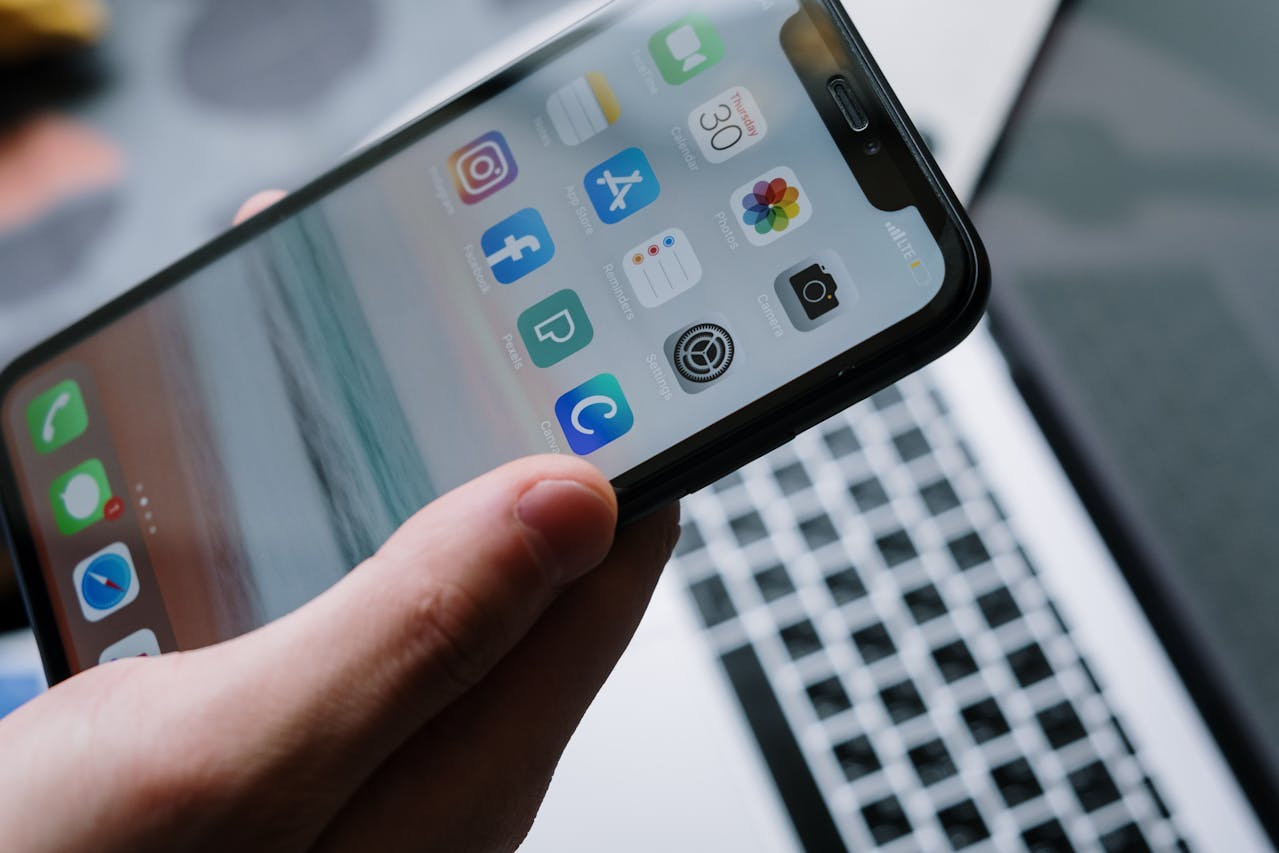
The App Revolution
The app economy has matured dramatically. Gone are the days of gimmicky applications that promised much but delivered little. Today’s essential apps are sophisticated, reliable, and genuinely useful—many developed by teams of hundreds of engineers and designers.
The democratisation of capability: Apps that cost nothing (or very little) now provide functionality that would have required expensive software, consultants, or professional services just a decade ago. Financial planning, language learning, professional networking, and health monitoring—all accessible from your pocket.
The integration advantage: Modern apps don’t work in isolation. They connect with each other, sync across devices, and create ecosystems that amplify their individual usefulness. Your calendar talks to your email, your fitness tracker shares data with your health app, and your notes sync across all your devices.
Why Apps Matter More Than Ever
Efficiency gains: The right apps save hours weekly. Time spent finding information, organising tasks, or performing routine activities drops dramatically with proper app usage.
Cognitive offloading: Your brain shouldn’t memorise shopping lists, remember passwords, or track complex schedules. Apps handle the mundane, freeing your mental energy for creative and strategic thinking.
Skill acquisition: Learning apps make personal development accessible. Languages, coding, music, business skills—all learnable through apps with structured curricula and engaging formats.
Life transitions: Major life events—moving house, changing careers, planning weddings, becoming parents—all have overwhelming complexity that dedicated apps can simplify dramatically.
The Core App Categories
This guide covers eight essential areas where apps deliver transformative value:
1. Productivity Apps for Remote Workers and Students
Discover the tools that transform chaotic work-from-home situations into efficient, organised workflows. Task management, focus tools, communication platforms, and digital workspaces.
[Read the complete productivity apps guide →]
2. Finance Management Apps for UK Users
Master your money with apps that track spending, build budgets, automate savings, and help you understand where your money actually goes. UK-specific apps with proper Open Banking integration.
[Explore finance management apps →]
3. Health and Fitness Tracking Apps
From step counting to comprehensive health monitoring, discover apps that help you get fitter, sleep better, eat healthier, and maintain mental wellness.
[See our health and fitness apps roundup →]
4. Note-Taking Apps: Digital Notebooks for Every Need
Whether you’re a student, professional, or creative, the right note-taking app transforms how you capture, organise, and retrieve information. Compare all major options.
[Read the note-taking apps guide →]
5. Apps for Moving House
Apps can simplify the moving process, keeping you organised and reducing stress.
[Read the moving house apps post →]
6. Cloud Storage Solutions Compared
Understand the differences between Google Drive, OneDrive, Dropbox, iCloud, and alternatives. Which offers best value? Which best protects your privacy? How much storage do you actually need?
[Discover cloud storage solutions →]
7. Password Managers and Security Apps
Stop reusing “Password123” across every website. Password managers generate, store, and auto-fill secure passwords while protecting your digital identity. Plus authenticator apps, VPNs, and security essentials.
[Read password managers and security apps →]
8. Learning and Skill Development Apps
Transform your commute or downtime into learning opportunities. Language learning, coding, business skills, creative pursuits—apps that genuinely teach rather than just entertain.
[Explore learning and skill development apps →]
Quick Wins: Apps to Install Right Now
Before diving into the detailed guides, here are five apps that deliver immediate value:
- Bitwarden (Password manager): Stop password stress forever
- Notion or Obsidian (Notes): Organise your entire digital life
- Emma or Money Dashboard (Finance): See where your money goes
- Forest (Focus): Beat phone distraction
- Todoist (Tasks): Never forget important tasks again
The App Ecosystem Strategy
Don’t install everything: More apps don’t equal more productivity. Each app adds cognitive load (another thing to check, update, and manage). Focus on essential categories and choose one excellent app per need rather than three mediocre ones.
Integration matters: Apps that work together are more valuable than individual apps. Choose apps within ecosystems (Apple ecosystem, Google ecosystem, Microsoft ecosystem) or apps that specifically integrate (Notion + Todoist, for example).
Cross-platform consistency: If you use multiple devices (phone, tablet, laptop), prioritise apps available everywhere with seamless sync. Platform-locked apps create friction.
Free vs paid: Many essential apps have genuinely good free tiers. Start free, upgrade only if you’re hitting limitations. Don’t pay for premium features you won’t use.
Privacy and Data Considerations
Apps require trust—you’re giving them access to your data, location, contacts, or habits.
Permissions auditing: Regularly review what permissions apps have. Does your weather app really need access to your contacts? Does your game need your location?
Terms of service matter: Yes, they’re boring, but understanding how apps use your data is crucial. Apps that monetise through advertising versus subscriptions have very different incentive structures.
European privacy advantages: UK/EU users benefit from GDPR protections. Apps must be transparent about data usage, provide data export, and allow deletion. Exercise these rights.
Open-source alternatives: When possible, consider open-source apps. They’re transparent (code is publicly reviewable), often more privacy-focused, and community-driven rather than profit-driven.
The Trap of App Overload
Shiny object syndrome: New apps promise revolutionary improvements. Most deliver incremental benefits at best. Resist the urge to constantly switch apps—learning curves cost time.
Notification fatigue: Every app wants to notify you. Be ruthless: disable notifications for all but truly urgent apps (messaging, calendar, security alerts). Everything else can wait until you choose to check.
Update fatigue: Apps constantly update, often changing interfaces or adding features you don’t need. This is largely unavoidable, but choosing established apps with stable development reduces disruptive changes.
Subscription creep: Apps increasingly move to subscriptions. While some justify the cost, many don’t. Audit app subscriptions annually (see our subscription audit guide).
Real-World Impact: Case Studies
James, Marketing Manager: Implemented productivity app ecosystem (Notion for notes, Todoist for tasks, Clockify for time tracking, Forest for focus). Reported 15% productivity increase and significantly less end-of-day stress. “I stop worrying I’ve forgotten something because my system captures everything.”
Sarah, University Student: Used learning apps (Anki for spaced repetition, Forest for focus sessions, Notion for lecture notes) to improve grades by a full classification. “I went from disorganized stress to structured learning. The apps didn’t make me smarter, but they let me use my intelligence more effectively.”
The Patel Family: Implemented shared apps (Cozi for family calendar, AnyList for shopping lists, Life360 for location sharing) to reduce household chaos. “We went from constant ‘where are you?’ texts and forgotten pickups to smooth coordination. Our family group chat is now actually pleasant instead of logistical panic.”
Common Mistakes to Avoid
Using too many apps for the same purpose: Pick ONE task manager, ONE notes app, ONE calendar. Multiple solutions for the same need create fragmentation and confusion, not productivity.
Never learning features: Most people use 20% of an app’s capabilities. Spend 30 minutes exploring settings, watching a tutorial, or reading guides. You’ll discover time-saving features you didn’t know existed.
Not syncing across devices: If an app lives only on your phone, you’ll forget to check it on your laptop. Ensure key apps are accessible everywhere you work.
Ignoring app health: Apps can drain battery, consume storage, or slow devices. Periodically review battery usage, storage consumption, and delete unused apps.
Assuming apps are secure: Never store truly sensitive information (passwords, financial details, medical records) in apps without proper encryption. Use dedicated secure apps for sensitive data.
Building Your Personal App Stack
Step 1: Identify pain points (Week 1) What causes you daily frustration? Disorganization? Poor time management? Financial confusion? Fitness inconsistency? Match apps to actual problems, not hypothetical ones.
Step 2: Research solutions (Week 2) For each pain point, research 2-3 highly-rated apps. Read reviews, watch YouTube comparisons, check Reddit for honest user experiences.
Step 3: Trial period (Week 3-4) Install your top choices and use them properly for two weeks. Give each a genuine chance—most apps require 1-2 weeks before benefits become apparent.
Step 4: Commit (Week 5) Choose your winners and delete the rest. Fully commit to your chosen apps for at least three months before reconsidering.
Step 5: Integrate and optimise (Ongoing) Learn advanced features, set up automations, and integrate apps with each other. This is where apps transition from useful to transformative.
Platform-Specific Advantages
iOS ecosystem strengths:
- Seamless integration (Calendar, Reminders, Notes, Health all sync perfectly)
- Superior privacy controls and transparency
- Shortcuts app for powerful automation
- Handoff features (start on iPhone, continue on iPad/Mac)
Android ecosystem strengths:
- Greater customisation and flexibility
- Easier file management
- Better integration with Google services (if you use them)
- More affordable device options
Cross-platform approach:
- Choose platform-agnostic apps (Notion, Todoist, Bitwarden work everywhere)
- Accept compromises (some features may be iOS/Android-only)
- Use web apps when native apps aren’t available
The Minimalist Alternative
Some productivity experts advocate for fewer apps, not more. The minimalist approach:
Use only platform defaults: Calendar, Reminders, Notes, Photos—these cover 80% of needs for many people. They sync automatically, require no learning, and have zero additional cost.
Add only when necessary: Only install specialised apps when defaults genuinely can’t handle your needs.
Regular purges: Every few months, delete everything you haven’t used in 30 days.
Benefits: Less cognitive load, fewer subscriptions, simpler digital life, better privacy.
Trade-offs: Missing advanced features, less optimisation, and some tasks remain clunky.
Future of Apps
AI integration: Apps increasingly incorporate AI assistants (ChatGPT, Claude, Gemini) for natural language interaction. “Show me all meetings with John about the website project” becomes possible.
Cross-app automation: Tools like Shortcuts (iOS) and Tasker (Android) let apps trigger each other. “When I arrive at the gym, start workout tracking and enable Do Not Disturb” happens automatically.
Wearable expansion: Smartwatches and fitness trackers create new app categories. Health monitoring, payment apps, and quick-access tools increasingly move to wrists.
Privacy emphasis: Users increasingly demand privacy-focused alternatives to data-hungry apps. Expect growth in apps that prioritise local storage, encryption, and minimal data collection.
Getting Maximum Value
Learn keyboard shortcuts: Every productivity app has shortcuts. Learning just 5-10 for your most-used apps saves hours monthly.
Set up widgets: Home screen widgets give instant access to key information without opening apps. Calendar overview, today’s tasks, quick notes—all visible at a glance.
Use automation: If you do something repeatedly (like texting your partner when leaving work), automate it. Shortcuts (iOS) or Tasker (Android) can handle routine actions.
Participate in communities: Reddit, Discord, and forums for popular apps contain power-user tips. Spending 30 minutes reading these communities reveals features you’d never discover alone.
Measuring Success
How do you know if apps are improving your life?
Time saved: Do you spend less time searching for information, managing tasks, or coordinating with others?
Stress reduced: Do you feel more in control? Less anxious about forgetting things? More confident in your organisation?
Goals achieved: Are you making progress on personal goals (fitness, learning, financial) that apps are supposed to support?
Simplified complexity: Have apps made complicated situations (moving house, planning trips, managing projects) feel manageable?
If you can’t answer “yes” to at least half of these, your app stack isn’t working. Simplify, refocus, or reconsider your choices.
Conclusion: Apps as Life Infrastructure
The right apps become invisible infrastructure supporting your daily life. You stop thinking about them—they just work, quietly making everything smoother.
This guide maps that infrastructure across eight essential categories. Explore the areas most relevant to your current needs. Maybe you’re struggling with productivity (start there), or perhaps finances are causing stress (begin with money management apps), or you’re moving house soon (our apps for moving guide awaits).
The apps documented in these guides aren’t every app that exists—they’re the proven, reliable, high-value tools that consistently deliver results. They’re used by millions, actively maintained, and genuinely helpful.
Start with one category. Implement properly. Experience the improvement. Then expand to another area. Within a few months, you’ll have a personalised app ecosystem that makes modern life dramatically more manageable.
Your smartphone is powerful. These guides help you unlock that power.