Skip to content

GEEKEDCARTREE

A UK Technology Blog

  • Lifestyle Blog
  • Fitness Blog
  • Money Blog
  • About
  • Lifestyle Blog
  • Fitness Blog
  • Money Blog
  • About
computers

Wanting to switch to Mac? You should get a Mac Mini

January 27, 2016January 28, 2016 Corinne 2 comments
Wanting to switch to Mac? You should get a Mac Mini

mac mini

When people find out I have a Mac desktop, they imagine one of those iMacs that you can get, the screen with the Apple logo on the front that costs over £1000.

Mac Mini’s are always a surprise to people. I can’t believe how many people haven’t heard of them.

When I decided to get a Mac, this was the first thing I looked at because it’s basically the entry level Mac. But that doesn’t mean that it’s rubbish.

I’ve had my Mac Mini for over three years now and it’s still a great computer to work with. With Windows, I found myself getting a virus all too often, or a tool bar added onto my web browser. It would suddenly get slow for no reason and I’d find text links embedded in webpages from some malware that had installed itself on my PC.

So if you’re considering getting a Mac but not wanting to spend £1000 on an iMac, then reach for a Mac Mini. You can get the most basic one for £399, which is the same specs as the one I bought 3 years ago.
mac mini

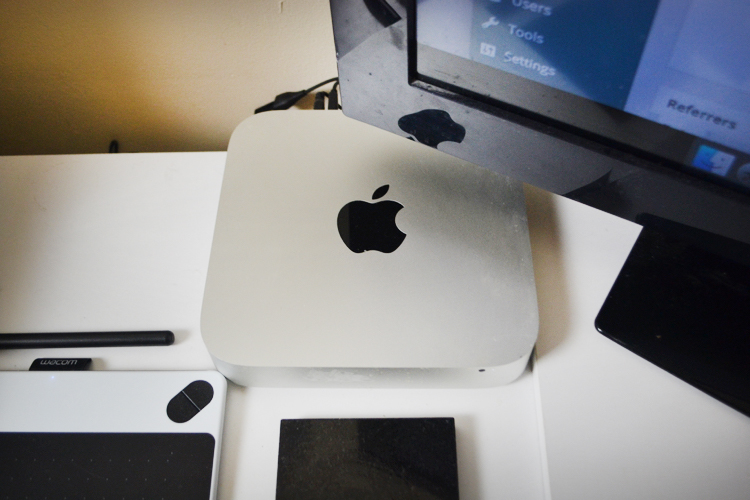
A Mac Mini is basically what you see above. It’s the small square device and it comes alone, which is one of the reasons why it’s so cheap.

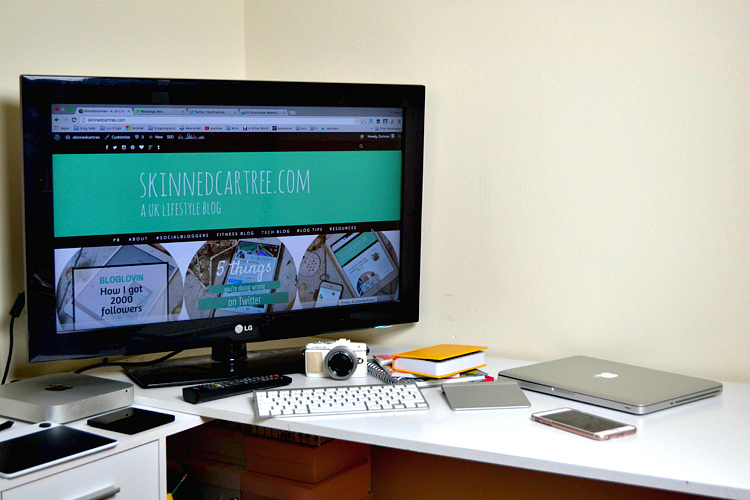
I was already using my PC with my 32 inch TV, so I used an HDMI cable to connect my new Mac Mini to the TV.

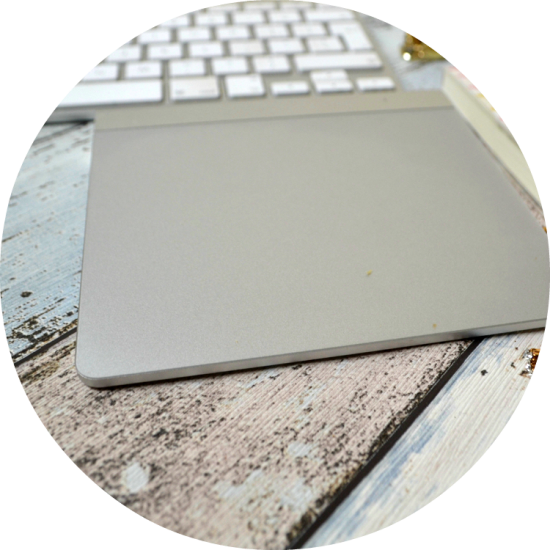
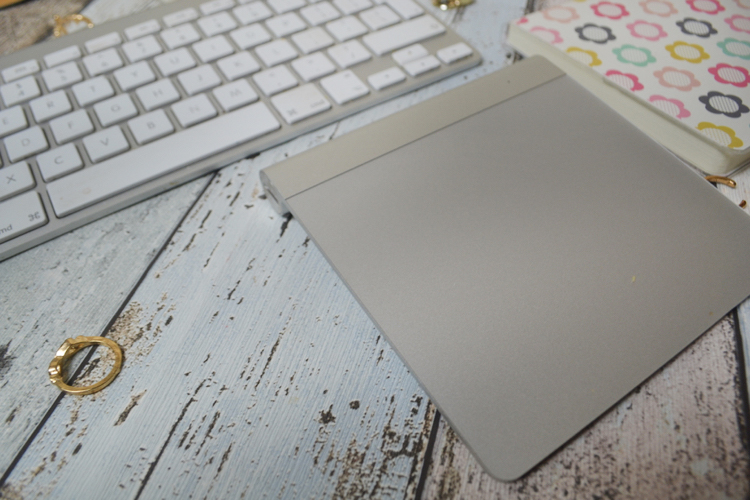
In regards to the keyboard and mouse, I used the same one that I used with my PC at first and connected them via the USB ports in the back of the Mac Mini. Over time, I bought the Mac keyboard and trackpad mouse. This meant I didn’t have to invest in everything straight away.

The memory on my Mac was 4GB. I upgraded it myself, YES MYSELF, by buying 16GB of memory for around £50. It’s dead easy, you just turn the Mac Mini upside down, remove the black panel by twisting it and click them in.

mac mini

Other things I love about the Mac Mini is the SD card slot, so I can easily put my memory card from my camera into the back to directly upload photos without faffing about cables.

Though I must note that there is no disc drive on this.
mac mini

mac mini

Here are the current Mac Mini’s that you can get from Apple and their specs:
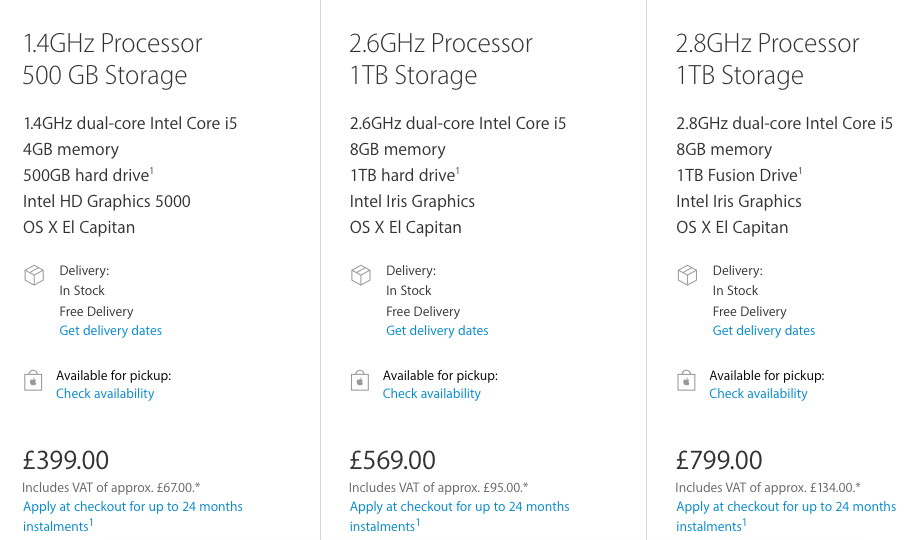
Screen Shot 2016-01-22 at 00.52.14

Untitled3

About Corinne

About Corinne

I’m Corinne, a 30-something lifestyle blogger from York, talking tech, blog tips, lifestyle and navigating being a new mum!

Related Posts

How To Choose The Right Laptop For Work, Gaming, Or School In 2025
Why your family should invest in a cyber security tool like Bitdefender
How to take good care of your Raspberry Pi
Penclic B2 Bluetooth Mouse  // Review
Penclic B2 Bluetooth Mouse // Review

Post navigation

Why I switched from Windows to Macs.
Penclic B2 Bluetooth Mouse // Review

2 comments

  1. Kaitlynn Marie says:
    January 28, 2016 at 12:58 am

    I kind of wonder if I had known about Mac Mini’s if I would have gone with that when I first converted. I think if I wasn’t going with a Macbook, and a Pro to boot, I would have. A Mac Mini just wouldn’t work for me because I need my computer to be on the go with me. But this is a great idea for anyone that is unsure if they want to convert and want to essentially try out Mac. Great post šŸ™‚

    -Kaitlynn

    Reply
  2. Michelle says:
    January 28, 2016 at 12:17 pm

    Macs are awesome! I love the speed of them. Only very expensive Windows machines can compete I find.

    Worth mentioning as well that anyone in education can get discount with Apple! http://www.apple.com/uk/shop/browse/campaigns/education_pricing

    Michelle -x-

    Reply

Leave a Reply Cancel reply

Your email address will not be published. Required fields are marked *

Recent Posts

  • Best Educational Apps for Kids UK 2025: Expert Reviews by Age Group
  • Complete Guide to Family Technology UK: Devices, Safety & Digital Wellbeing 2025
  • Best Tablets for Kids UK 2025: Expert Reviews by Age Group
  • Complete Parental Controls Guide UK 2025: Step-by-Step Setup for Every Device
  • Free Family Days Out in the UK: 60+ Amazing Activities That Cost Nothing in 2026
  • Lifestyle Blog
  • Fitness Blog
  • Money Blog
  • About

GEEKEDCARTREE

Copyright © 2026 | All Rights Reserved | skinnedcartree.com
This website uses cookies to improve your experience. We'll assume you're ok with this, but you can opt-out if you wish.Accept Read More
Privacy & Cookies Policy

Privacy Overview

This website uses cookies to improve your experience while you navigate through the website. Out of these, the cookies that are categorized as necessary are stored on your browser as they are essential for the working of basic functionalities of the website. We also use third-party cookies that help us analyze and understand how you use this website. These cookies will be stored in your browser only with your consent. You also have the option to opt-out of these cookies. But opting out of some of these cookies may affect your browsing experience.
Necessary
Always Enabled
Necessary cookies are absolutely essential for the website to function properly. This category only includes cookies that ensures basic functionalities and security features of the website. These cookies do not store any personal information.
Non-necessary
Any cookies that may not be particularly necessary for the website to function and is used specifically to collect user personal data via analytics, ads, other embedded contents are termed as non-necessary cookies. It is mandatory to procure user consent prior to running these cookies on your website.
SAVE & ACCEPT